How Old Is My Appliance?
Trying to figure out how old your appliance is can be frustrating, especially when the label is faded or the paperwork is long gone. You’re not alone—many people struggle to decide whether an appliance needs repair or replacement.
How Old Is My Appliance?
You can determine how old your appliance is by finding its brand, model number, and serial number. Check the door frame, interior wall, control panel, rear panel, or rating plate, then photograph the label clearly.
Use the manufacturer’s serial-number guide or website to decode the production date. If no serial number exists, check receipts, manuals, catalogs, and matching model features.
Compare its age with typical lifespans before choosing repair or replacement. The steps below can help you confirm its age accurately.
Key Takeaways
- Locate the appliance’s model and serial numbers on its rating plate, often inside the door, behind panels, or on the back.
- Record every character accurately, including letters, numbers, hyphens, and zeros, and photograph the label for reference.
- Decode the serial number using the manufacturer’s website, owner’s manual, production chart, or customer support.
- If the serial number is unavailable, check receipts, installation documents, manuals, archived catalogs, and matching retailer listings.
- Compare the appliance’s estimated age with its typical lifespan and current performance to plan repairs or replacement.
Find Your Appliance’s Model and Serial Numbers
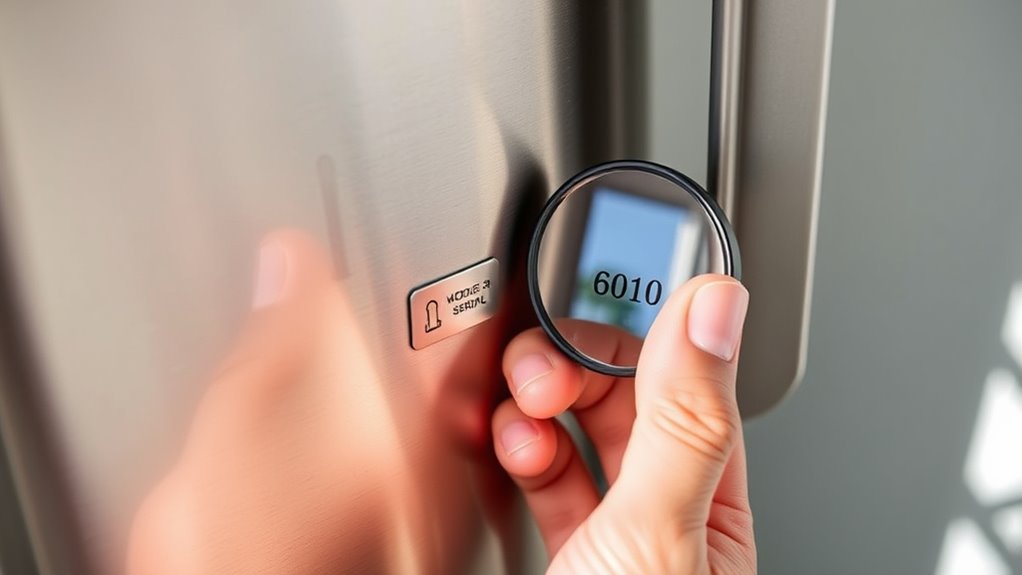
Start by locating your appliance’s model and serial number, which you’ll need to determine its age. These identifiers distinguish your exact appliance from similar models and help you find its production date, specifications, and compatible parts.
Record both numbers exactly as shown, including letters, hyphens, and zeros. Don’t confuse the model number with a product name, stock number, or installation code.
If the characters look unclear, photograph the information and compare it with your owner’s manual or purchase records.
Once you have the numbers, enter them on the manufacturer’s official website or contact its customer-support team.
You can often use this information to access manuals, warranty details, service bulletins, and age-decoding guidance. Confirm that the results match your appliance’s brand and type before relying on them.
Accurate identification supports Appliance safety by helping you choose correct parts and instructions. It also improves energy efficiency when you check whether newer, more efficient replacement options make sense.
Keep your records for future service needs.
Check Common Appliance Label Locations
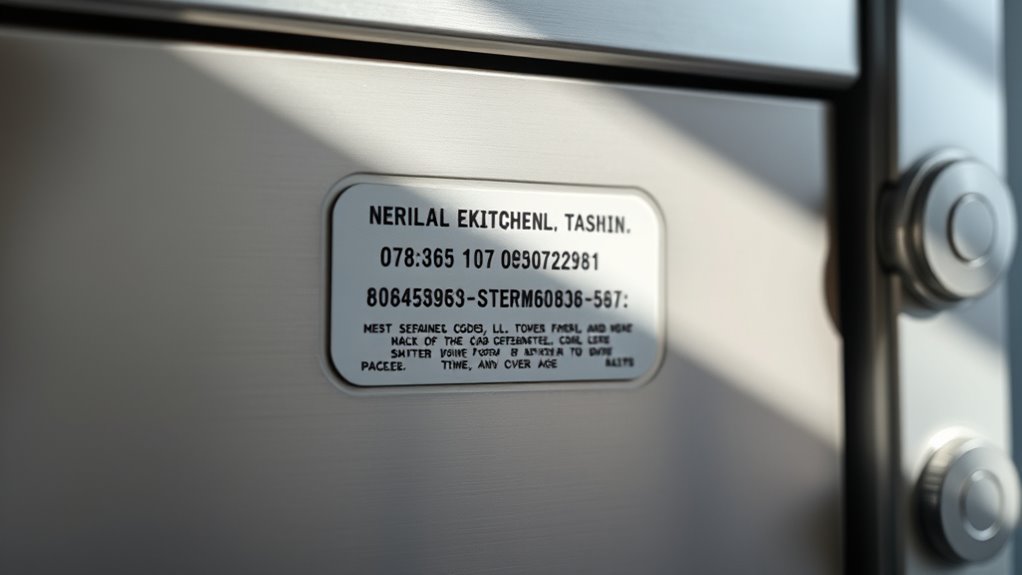
Check the door frame or inside edge for your appliance’s label. If you don’t see it there, try looking behind removable panels or access covers. These spots often list the model and serial numbers you need to determine your appliance’s age.
Check Door Frames
Look along the inside edge of the appliance’s door frame, where manufacturers often place a model or serial-number label. Check the upper corners, latch side, and lower edge carefully.
A flashlight can help you spot faded ink, embossed numbers, or a small metal plate. During your door frame inspection, open the door fully and examine both the frame and the door’s inner rim without removing any parts.
Clean dust gently with a dry cloth so you don’t damage the label. Note every character exactly, including letters, dashes, and spacing.
Frame material analysis can also help you locate the label. Metal frames may hold riveted plates, while plastic frames often use adhesive stickers or molded markings.
Photograph the information for reference, then compare the code with the manufacturer’s date-code guide.
Look Behind Panels
If the door frame doesn’t reveal a readable label, inspect accessible panels where manufacturers commonly place identification tags. Check the back, side, or lower kick plate for a stamped plate or printed sticker.
You might also find a label inside the control-console cover, beneath a removable lint filter housing, or near the compressor.
- Washer: Look behind the detergent drawer, console, or rear service panel.
- Dryer: Check inside the door opening, around the drum, or on the back.
- Refrigerator: Inspect the fresh-food compartment wall, door edge, or lower grille.
Before panel removal, unplug the appliance and consult its manual. Don’t force sealed covers or reach near wiring.
A flashlight and phone camera can help you read cramped labels without disturbing hidden components. Record the model and serial numbers exactly, including dashes and letters.
Identify the Brand and Appliance Type

Find the brand label on the appliance’s exterior, inside the door frame, or on the control panel. Identify the type of appliance, such as a refrigerator, range, washer, or dryer. Then, record the model information to help determine its age.
Locate the Brand Label
Start by locating the brand label, which identifies both the manufacturer and the appliance type. You’ll usually find it on the front, side, back, door frame, or inside edge.
Use a flashlight and check behind removable panels only if you can do so safely. Don’t confuse a logo with the complete label; look for a printed plate or sticker containing the brand name and model information.
- Check the door, lid, or interior frame.
- Inspect the rear or side panel.
- Photograph the label before cleaning nearby surfaces.
Record the brand exactly as shown, including unusual spelling or symbols. This detail helps you search an appliance warranty, compare retail pricing, and locate reliable manufacturer resources.
Keep the label photo with your household records so you can reference it whenever service or replacement questions arise.
Determine Appliance Type
Once you’ve located the label, identify the appliance type listed beside the brand, such as a refrigerator, washer, dryer, oven, or dishwasher. Confirm that the description matches the unit in front of you, especially if several appliances share a room or brand.
You might see terms such as range instead of oven, or combination washer-dryer instead of separate machines. Correctly identifying the type helps you find relevant age information and prevents confusion between similar products.
It also supports appliance safety because each category has different installation, maintenance, and replacement concerns. Knowing the type can guide energy efficiency comparisons, helping you recognize whether an older unit may use more electricity or water than newer models.
Don’t rely on appearance alone. Check the label’s wording carefully before continuing your research.
Check Model Information
With the appliance type confirmed, check the model information on the same label. Find the brand name and model number, then record every letter, number, and hyphen exactly. This information helps you locate the correct manufacturing-date guide, parts, and service records.
- Brand: Confirms which manufacturer’s dating system you should use.
- Model number: Distinguishes your appliance from similar-looking versions.
- Serial number: Often reveals the production date more precisely.
You’ll usually find this label inside the door, beneath the lid, on the back, or along the appliance’s side. Photograph it before the text fades or becomes difficult to read.
Don’t confuse the model number with the serial number. Both may support warranty claims, but only one may decode the age. Accurate details also help you compare Energy efficiency ratings and verify whether Appliance warranties still apply to your specific unit.
Decode Your Appliance’s Serial Number
Your appliance’s serial number often reveals its manufacture date, but each brand uses a different code. Start by finding the label on the door frame, rear panel, control area, or side wall. Write the complete number exactly as shown, including letters and dashes.
Find your appliance’s serial label, record every character, and use the manufacturer’s code to uncover its manufacture date.
Next, inspect its pattern. Some manufacturers place the year and month in the first few characters; others hide them in later digits or use letters for months. A production chart printed in your owner’s manual may explain the sequence.
If the code includes a date-like pattern, compare it with the appliance’s model and visible features to confirm your reading.
Knowing the appliance’s age supports Kitchen safety because older wiring, seals, and heating parts may need closer inspection. It also helps you evaluate Appliance energy efficiency and decide whether worn components affect performance.
Don’t confuse the serial number with the model number: the serial number identifies your individual unit and may change warranty or service records. Photograph the label for future reference.
Look Up Your Appliance Model Online
Manufacturer websites can often identify an appliance’s age from its model number. Enter the complete model number into the brand’s support page, then review the matching product listing.
You may find specifications, manuals, replacement parts, and archived information that help you understand your appliance’s generation and features.
When you search, check the manufacturer’s spelling carefully and include every letter, number, and hyphen.
If the site returns several similar models, compare photos, capacity, finish, and control layout before choosing a result.
- Find the correct manual for safe operation and maintenance.
- Compare Energy efficiency ratings with newer replacement models.
- Review Warranty coverage details and available service resources.
Retailer listings, parts suppliers, and appliance databases can provide useful comparisons when the manufacturer’s site doesn’t recognize your model.
Use multiple sources, but treat unofficial information as guidance rather than proof. Save the product page or download its manual so you can reference compatible parts and features later.
Avoid confusing a model number with a serial number when searching.
Confirm the Appliance’s Manufacture Date
To confirm your appliance’s manufacture date, first locate the serial number on the rating plate or in the owner’s manual. Once you have it, use the manufacturer’s guide or a reliable online reference to decode the date code.
Locate the Serial Number
Find the serial number on the appliance’s rating plate, data tag, or identification label, then use it to confirm the manufacture date. You’ll usually find this information inside the door frame, beneath a lid, behind a drawer, on the back panel, or along the appliance’s side.
Unplug the unit before moving it, and ask for help with heavy appliances.
- Photograph the label before cleaning or repositioning the appliance.
- Record the brand, model number, and serial number together.
- Keep the details with your receipts and warranty documents.
Use a flashlight to read faded printing, and wipe dust gently without removing the label. Check your owner’s manual if you can’t locate it.
Accurate identification supports appliance safety by helping you find recalls, compatible parts, and service guidance. It also informs energy efficiency decisions when an older appliance needs replacement.
Decode the Date Code
Once you’ve located the serial number, use the brand’s date-code guide to interpret its letters and numbers and confirm the appliance’s manufacture date. Manufacturers may place the year and month in different positions, so don’t assume the first digits represent production.
Check the owner’s manual or the manufacturer’s website for code charts, and compare the appliance’s model series with the guide. If the code remains unclear, contact customer support with the complete serial number.
Record the confirmed date with your appliance documents for future reference. Knowing the age helps you plan maintenance, identify warranty coverage, and assess replacement needs.
Older units may require more repairs and consume more power, affecting Energy efficiency. Accurate dating also supports Appliance safety by highlighting products that may need inspections, recalls, or timely replacement.
Estimate Appliance Age Without a Serial Number
You can estimate your appliance’s age without a serial number by checking its model number, manufacturer’s design changes, owner’s manual, purchase records, or dated repair receipts. These clues can narrow down its production period and help you organize maintenance records.
- Match the model number with archived product catalogs.
- Compare buttons, displays, handles, and finishes with older designs.
- Check receipts, installation paperwork, and service invoices.
Your owner’s manual may include a copyright date or revision code that indicates when the appliance entered production. Search the manufacturer’s website, online manuals, and retailer archives for matching models.
Appliance warranties can also provide a useful timeline. Registration dates, coverage documents, or warranty cards may reveal when you bought the unit.
For additional confirmation, look for dated repair receipts, inspection stickers, or installation labels inside cabinets and behind panels.
Energy efficiency labels and certification standards can further narrow the manufacturing era, especially when efficiency ratings or required designs changed.
Record each clue and compare the dates to form your best estimate. Don’t remove panels or disturb wiring while investigating.
Compare Appliance Age With Expected Lifespan
After estimating your appliance’s age, compare it with the typical lifespan for its type to judge its remaining service potential. Refrigerators and dishwashers often last about 10 to 15 years, while washing machines and dryers commonly serve for 10 to 13 years.
Ranges may operate for 13 to 15 years, and microwaves often last around 7 to 10 years. These figures vary with brand, model, usage, maintenance, installation, and water quality.
If your appliance remains well below its expected lifespan, its age alone doesn’t indicate diminished performance. As it approaches or exceeds that range, monitor operating noise, cycle times, temperature consistency, leaks, and unusual energy use.
Compare current performance with the manufacturer’s original specifications when available. Energy efficiency also changes over time as components wear and newer standards emerge.
Appliance upgrades may offer lower utility consumption and updated features, but age comparisons provide context rather than a definitive assessment of your appliance’s condition. Keep your model’s estimated age and lifespan range in your maintenance records.
Decide Whether to Repair or Replace
Age should inform, not dictate, the repair-or-replace decision. First, identify the problem and request a written estimate. Compare that cost with the price of a dependable replacement, including delivery, installation, and disposal.
Consider replacement when repairs approach half the cost of a new model, the appliance has repeated major failures, or it no longer meets your household’s needs.
- Choose repair when the fix is affordable and the appliance still performs efficiently.
- Check warranty coverage before authorizing work, since parts or labor may cost you nothing.
- Consider an appliance upgrade when newer features, lower energy use, or improved capacity justify the investment.
You should also weigh inconvenience. A quick, minor repair may make more sense than shopping immediately, while a long parts delay can make replacement practical.
Don’t let a salesperson or a single repair quote decide for you. Get a second opinion for expensive work, compare reputable models, and confirm installation requirements.
Choose the option that offers reliable performance and the best overall value, not simply the lowest upfront price.
Plan Maintenance Around Appliance Age
Once you’ve decided to repair or replace an appliance, set a maintenance schedule based on its age, condition, and workload. Newer appliances usually need routine cleaning, filter changes, and inspections according to the manufacturer’s recommendations.
These tasks protect warranties and help you spot developing problems early. As an appliance ages, shorten inspection intervals and watch for warning signs, including unusual noises, leaks, odors, poor performance, or rising utility bills.
Older components may need professional testing or replacement before they fail. Careful maintenance scheduling can prevent inconvenient breakdowns and help you budget for repairs.
Your usage also matters. A heavily used refrigerator, washer, or water heater deserves more frequent attention than a lightly used appliance.
Clean coils, vents, seals, and filters regularly to support appliance energy efficiency. Keep service records, note each appliance’s age, and update your plan after every repair.
When maintenance costs rise sharply, compare them with replacement savings and reliability before deciding your next step.
Frequently Asked Questions
Can I Find My Appliance’s Age Using Its Purchase Receipt?
Yes, you can usually estimate your appliance’s age from its purchase receipt. Check the purchase date, model number, and serial number listed there, then compare them with the manufacturer’s records.
Remember, the purchase date may differ from the production date, especially if the appliance sat in storage. Use both dates when planning appliance maintenance.
You’ll also gain useful insight into brand reputation, warranty coverage, replacement parts, and the appliance’s expected lifespan.
Does Appliance Age Affect Energy Efficiency and Utility Costs?
Your appliance’s age can act like a dimming lantern: older models often use more electricity, raising utility bills, while newer, efficient designs deliver greater Energy savings.
As components wear, performance may decline, forcing longer cycles and increasing consumption. The Cost implications include higher monthly charges and potential repair expenses.
Check the model’s energy label, compare estimated annual usage, and consider replacement when efficiency improvements can offset the purchase price over time.
Are Older Appliances More Likely to Contain Hazardous Materials?
Yes, older appliances are more likely to contain hazardous materials, including asbestos, refrigerants, lead, mercury, or polychlorinated biphenyls, depending on their age and type. You shouldn’t dismantle, repair, or discard one without checking its model and local disposal rules.
For better Appliance safety, unplug damaged units, avoid disturbing insulation or sealed components, and ask a qualified technician or recycling facility for guidance. Proper handling protects you, your household, and the environment.
How Can I Safely Dispose of an Appliance I’M Replacing?
Contact your local recycling center or waste authority before disposal to learn accepted appliances, fees, and pickup options. Unplug the unit, remove food or chemicals, and secure doors, but don’t dismantle refrigerant systems, batteries, or insulation yourself.
Ask whether certified technicians must recover refrigerants or other hazardous materials. Consider Appliance maintenance and Repair cost analysis first; a repair may extend its life.
Never abandon appliances curbside unless your municipality allows it.
Do Appliance Warranties Transfer to New Owners?
A warranty can travel with your appliance like a key, but it won’t always open coverage for a new owner. Check the manufacturer’s terms, because some warranties transfer automatically, while others end when ownership changes.
You’ll usually need Warranty transfer approval, the original receipt, registration details, and Ownership documentation. Contact customer service before buying or selling, and ask for written confirmation.
Don’t assume remaining coverage follows the appliance without verification.
Conclusion
Once you’ve found your appliance’s model and serial numbers, you can turn a mystery into a timeline. Decode the serial, confirm it online, and compare its age with the typical lifespan.
A young appliance may need only routine care, while an older one may signal repairs ahead. Let that contrast guide your decision: maintain the reliable workhorse or replace the fading one.
Either way, knowing how old your appliance is helps you plan confidently instead of waiting for an unwelcome breakdown.